
Applies to: NovaBACKUP 22 PC Agent and Server Agent.
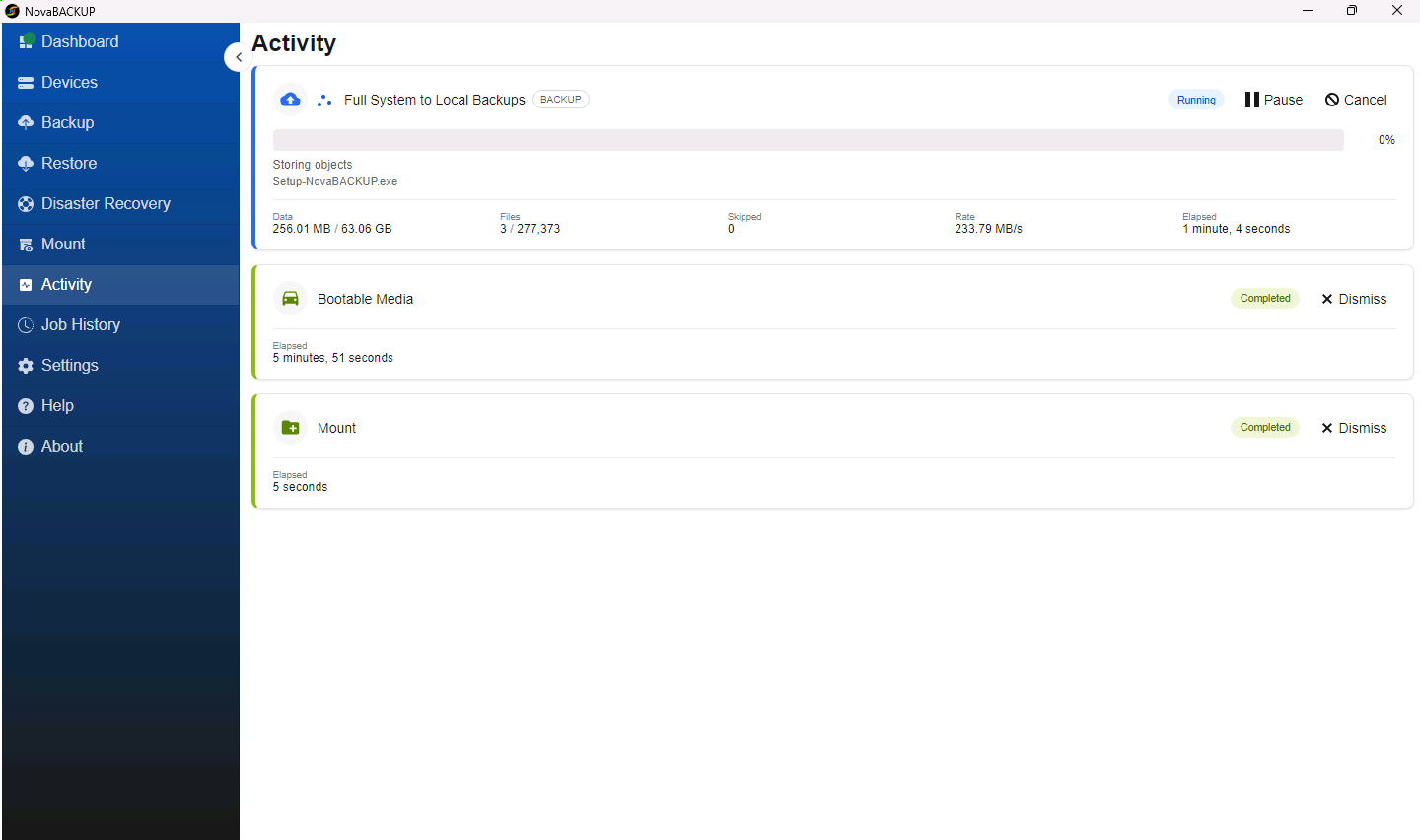
The Activity page shows the jobs that are running now and the ones that finished recently, including backups, restores, mounts, and bootable media creation. This article explains what each job card shows and what you can do from it.
Click Activity in the menu on the left. NovaBACKUP also opens this page for you when you start a job.
What a job card shows
- The job name and type, for example Full System to Local Backups with the label BACKUP.
- The status (see the table below).
- A progress bar with the percentage complete, plus the current step (such as Storing objects) and the file being processed.
- Data: how much has been processed out of the total.
- Files: how many files have been processed out of the total.
- Skipped: how many files could not be processed.
- Rate and Elapsed time.
Job statuses
| Status | Meaning |
|---|---|
| Pending | The job is waiting to start. |
| Running | The job is in progress. |
| Paused | You paused the job. It continues when you click Resume. |
| Completed | The job finished successfully. |
| Failed | The job stopped because of an error. The card shows the error message. |
| Canceling | You canceled the job, and it is stopping. |
| Canceled | The job was stopped before it finished. |
What you can do
- Pause temporarily halts a running backup and changes its status to Paused. Click Resume to continue from where it stopped.
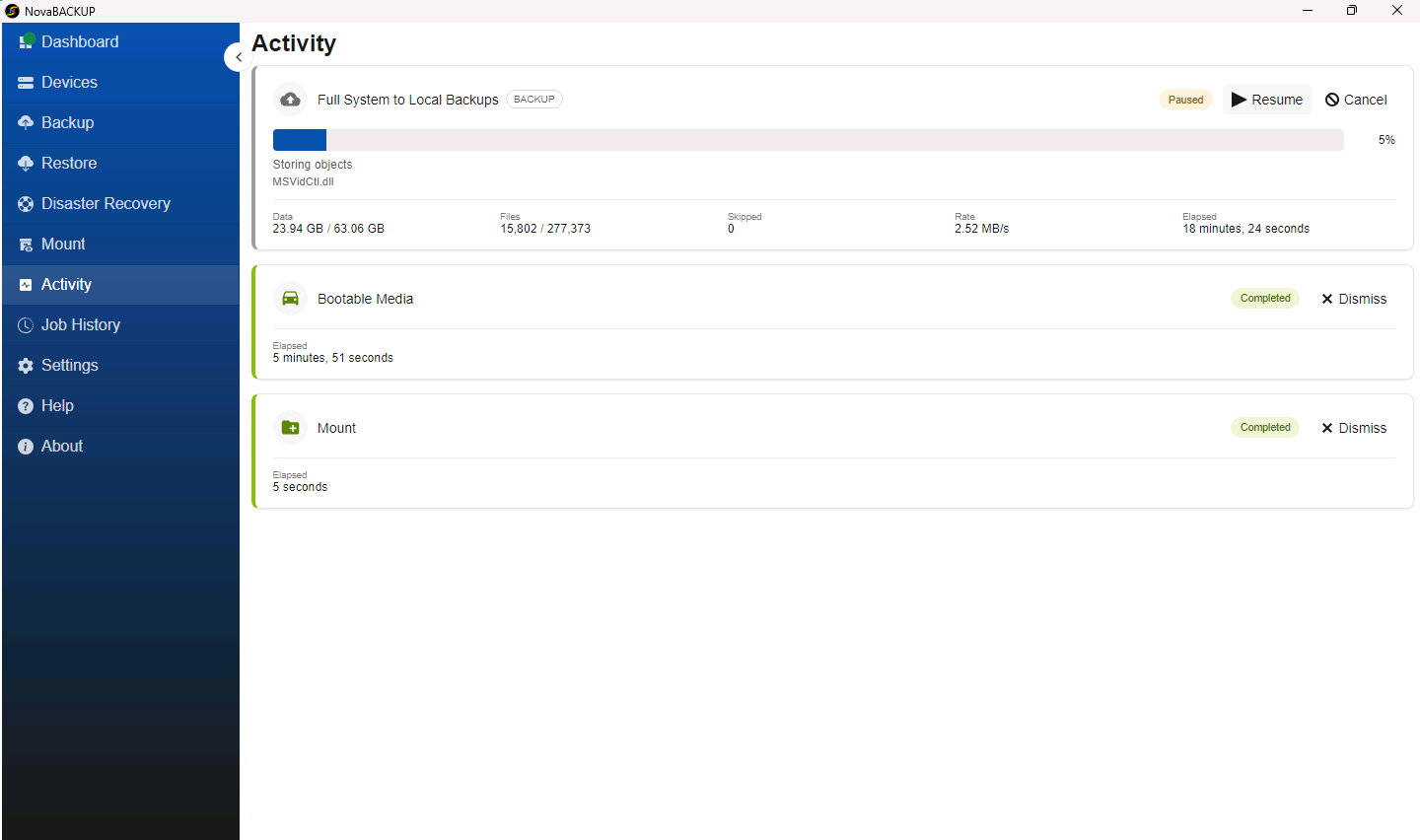
- Cancel stops a running or waiting job.
- Dismiss removes a finished job from the page. The run stays in Job History.
Tips
- The first backup of a job copies everything and takes the longest. Later backups copy only the changes.
- A large number of small files lowers the Rate. That is normal and does not mean the job is stuck, as long as Files keeps increasing.
- Closing the NovaBACKUP window does not stop a running job. The job runs in the NovaBACKUP service, and you can open the app again to check on it.
Related Articles
- Reviewing Job History
- A Tour of the NovaBACKUP 22 Dashboard
- Creating and Scheduling Your First Backup Job
Still Need Help?
Contact NovaBACKUP Support:
- Email: support@novabackup.com
- Phone: +1 805-579-6700 (press 2 for support)
- Submit a ticket: https://16246.share.hsforms.com/21oWGOmxeQpKD1M8jmfKBAQ
- More options: https://www.novabackup.com/support