
Applies to: NovaBACKUP 22 PC Agent and Server Agent.
Every time a backup job runs, it adds a new backup set to the device. Retention determines how long those backup sets are kept. This article explains how retention works and how to set it on a job.
How retention works
- Each run of a job creates a backup set: a point in time you can restore from. After the first run, only files that changed are copied, so later runs are fast and use little space.
- With Delete backups older than turned on, backup sets older than the period you choose are removed when the job runs. The space they used is freed, except for data that newer backup sets still need.
- Without retention, backup sets are kept until you delete them, and the device keeps filling up.
Old backup sets are deleted at the start of each backup run, so the most recent backup set is always kept, and a job that does not run deletes nothing. A file you delete from your computer stays restorable until every backup set that contains it is older than the retention period.
Example
A job runs every day with Delete backups older than set to 60 Day(s). You can restore any file as it was on any day in the last 60 days. A file you deleted from your computer 3 months ago is no longer in any backup set.
Set retention on a job
- Click Backup and select the job in the job list.
- Click Job options to open the job's Settings, then select the Retention tab.
- Select Delete backups older than. The default period is 30 days.
- Enter a number from 1 to 99 and choose Day(s), Month(s), or Year(s).
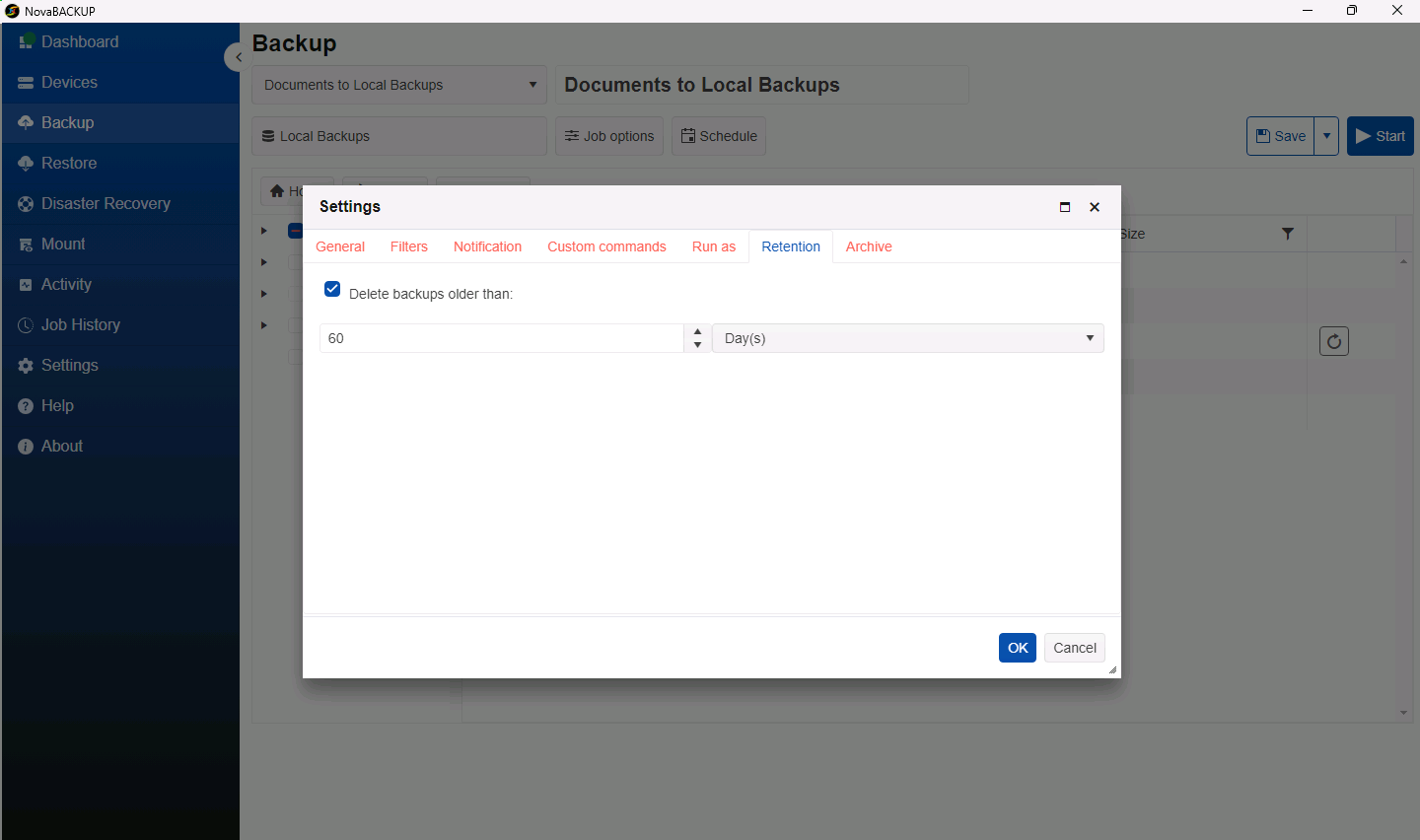
- Click OK, then click Save.
Retention for the cloud copy of a hybrid job
A hybrid job keeps a second copy of each backup on a cloud device. That copy has its own setting, Maximum Cloud Backup Age, on the Archive tab. Many businesses keep the local copy for a shorter time and the cloud copy for longer. See Setting Up a Hybrid Backup (Local and Cloud).
Choose a retention period
| Situation | Suggested starting point |
|---|---|
| Home office or small business, daily backups | 30 to 60 days |
| You need to recover from ransomware or from mistakes discovered late | At least 90 days, ideally for the cloud copy |
| Legal or industry record-keeping rules | The period your rules require, typically in Month(s) or Year(s) |
Note: A longer period needs more space. Watch the Storage panel on the Dashboard after the first few weeks, and adjust the period if the device is filling up.
Related Articles
- Creating and Scheduling Your First Backup Job
- Setting Up a Hybrid Backup (Local and Cloud)
- A Tour of the NovaBACKUP 22 Dashboard
Still Need Help?
Contact NovaBACKUP Support:
- Email: support@novabackup.com
- Phone: +1 805-579-6700 (press 2 for support)
- Submit a ticket: https://16246.share.hsforms.com/21oWGOmxeQpKD1M8jmfKBAQ
- More options: https://www.novabackup.com/support