
Applies to: NovaBACKUP 22 PC Agent and Server Agent with a license that includes NovaBACKUP Cloud storage.
NovaBACKUP Cloud gives you an offsite copy of your backups without any storage of your own to manage. This article shows how to create your NovaBACKUP Cloud account from the Dashboard. When you finish, NovaBACKUP adds the cloud storage device for you, so there are no access keys or bucket names to type.
Prerequisites
- NovaBACKUP 22 installed and activated with a license key that includes cloud storage
- An internet connection and a web browser on the computer
- An email address for the cloud account
Step 1: Start the sign-up from the Dashboard
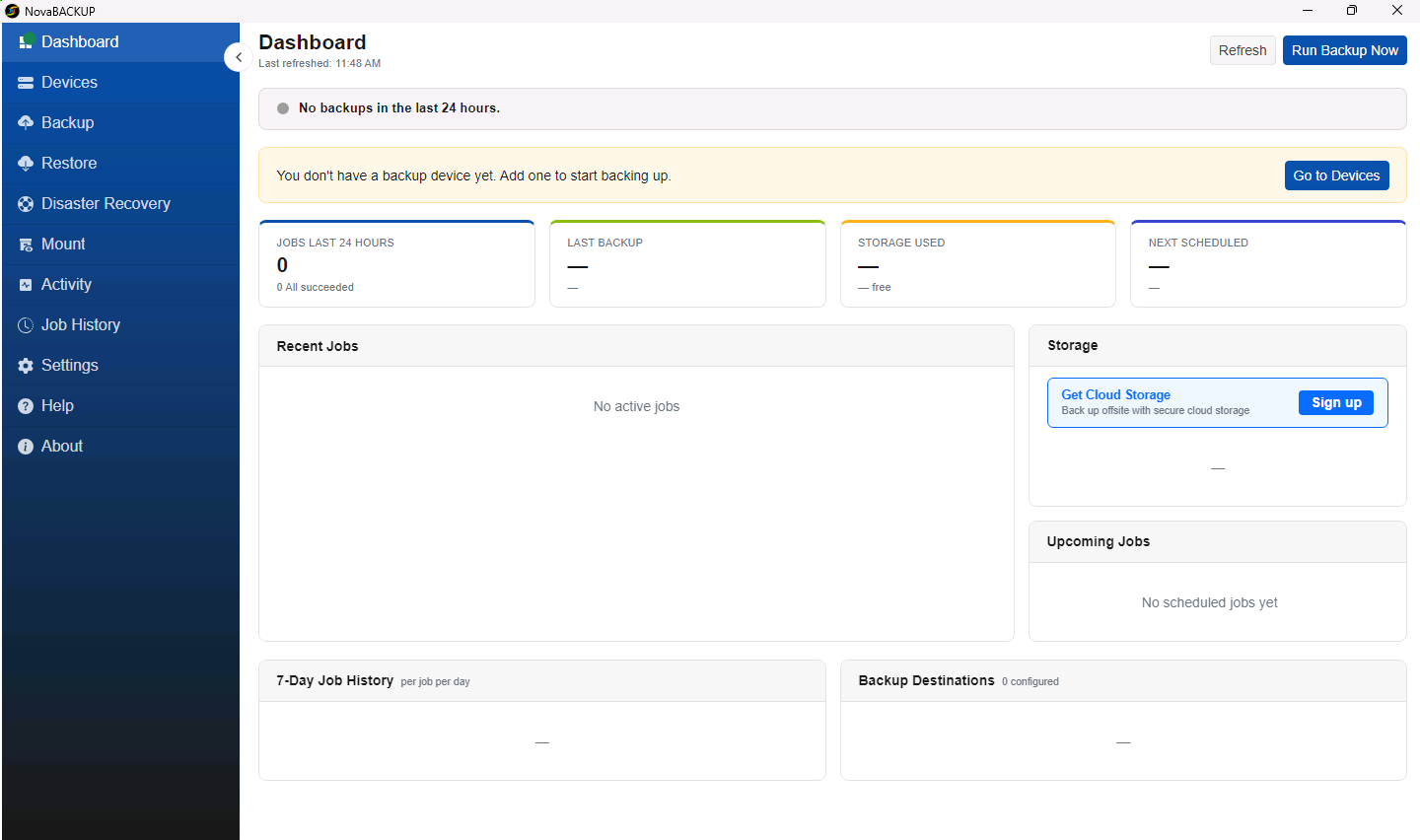
- Open NovaBACKUP and go to the Dashboard.
- In the Storage panel, find Get Cloud Storage and click Sign up.
- Your web browser opens the NovaBACKUP Cloud page. It shows your product, your NovaCare renewal date, and the cloud storage included with your license.
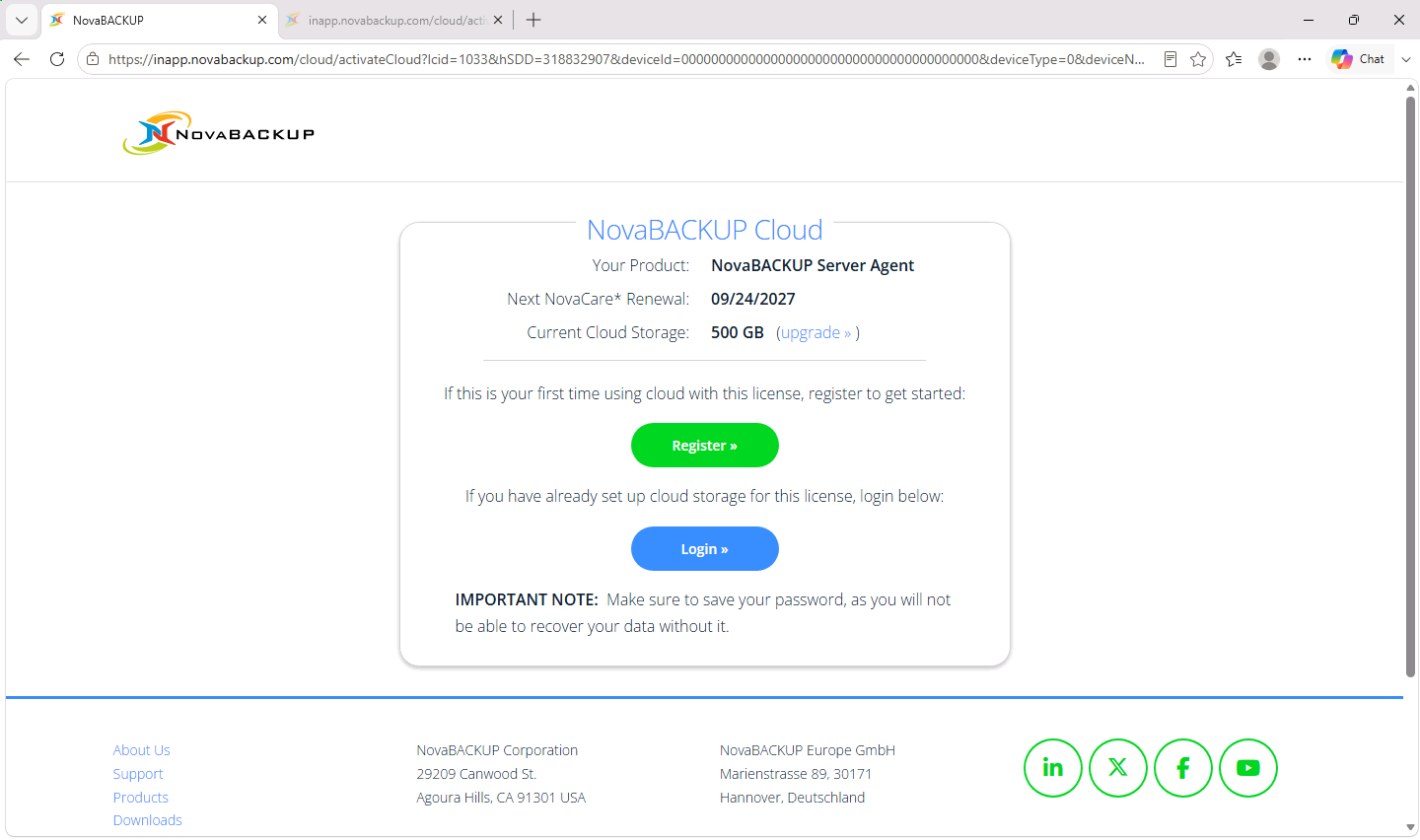
- Click Register if you are using cloud storage with this license for the first time. If you already created a cloud account for this license on another computer, click Login instead and sign in with that account.
Step 2: Create your cloud account
- Under Choose Your Cloud Storage Region, select the region where your backups should be stored. Choose the region closest to you, or the one your data protection rules require.
- Under Create Your NovaBACKUP Cloud Account, your license key is already filled in. Enter your First Name, Last Name, and Email Address, then create a password and confirm it.
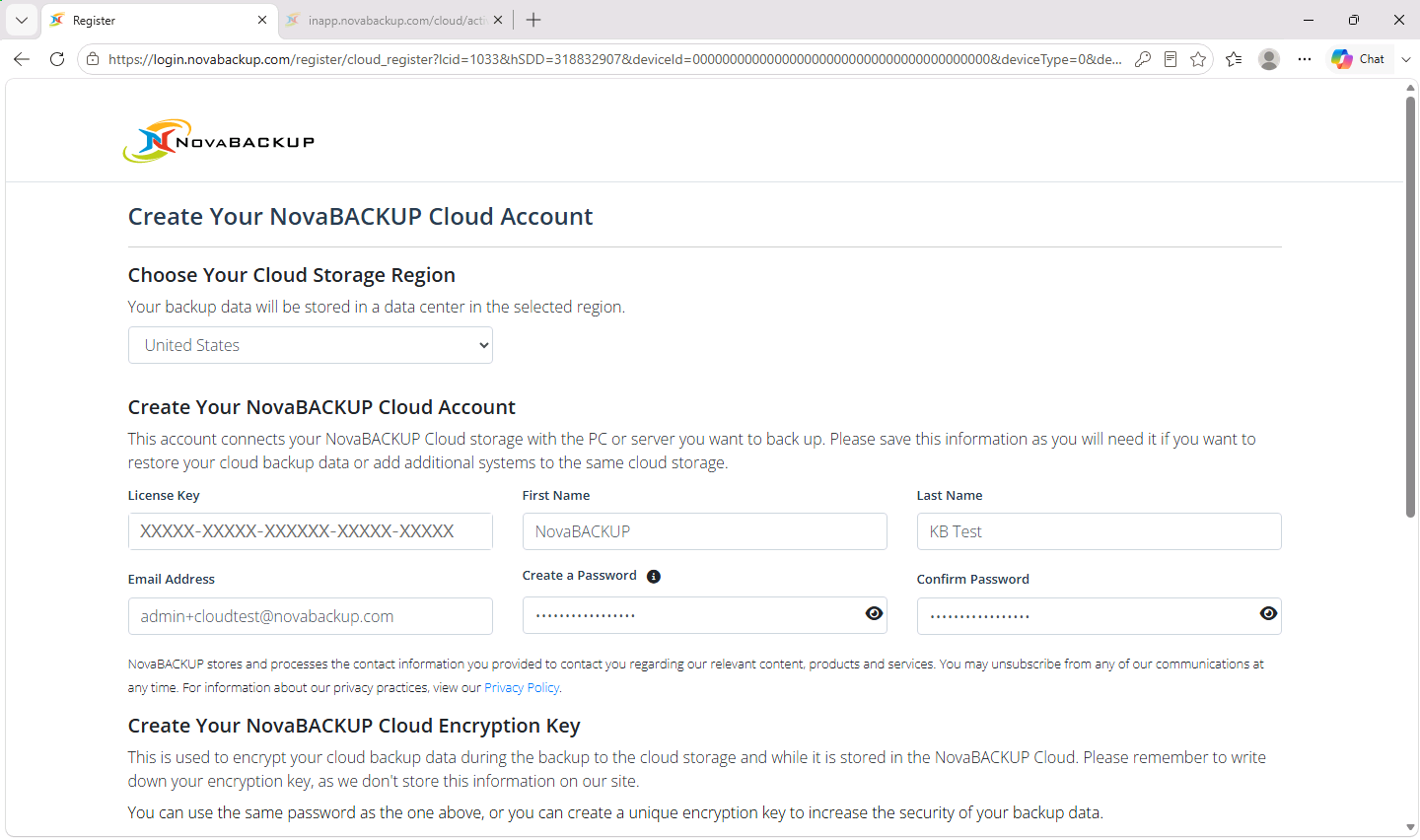
- Under Create Your NovaBACKUP Cloud Encryption Key, enter an encryption key and confirm it. You can select Use NovaBACKUP Cloud Account password as encryption key instead, but a separate key is more secure.
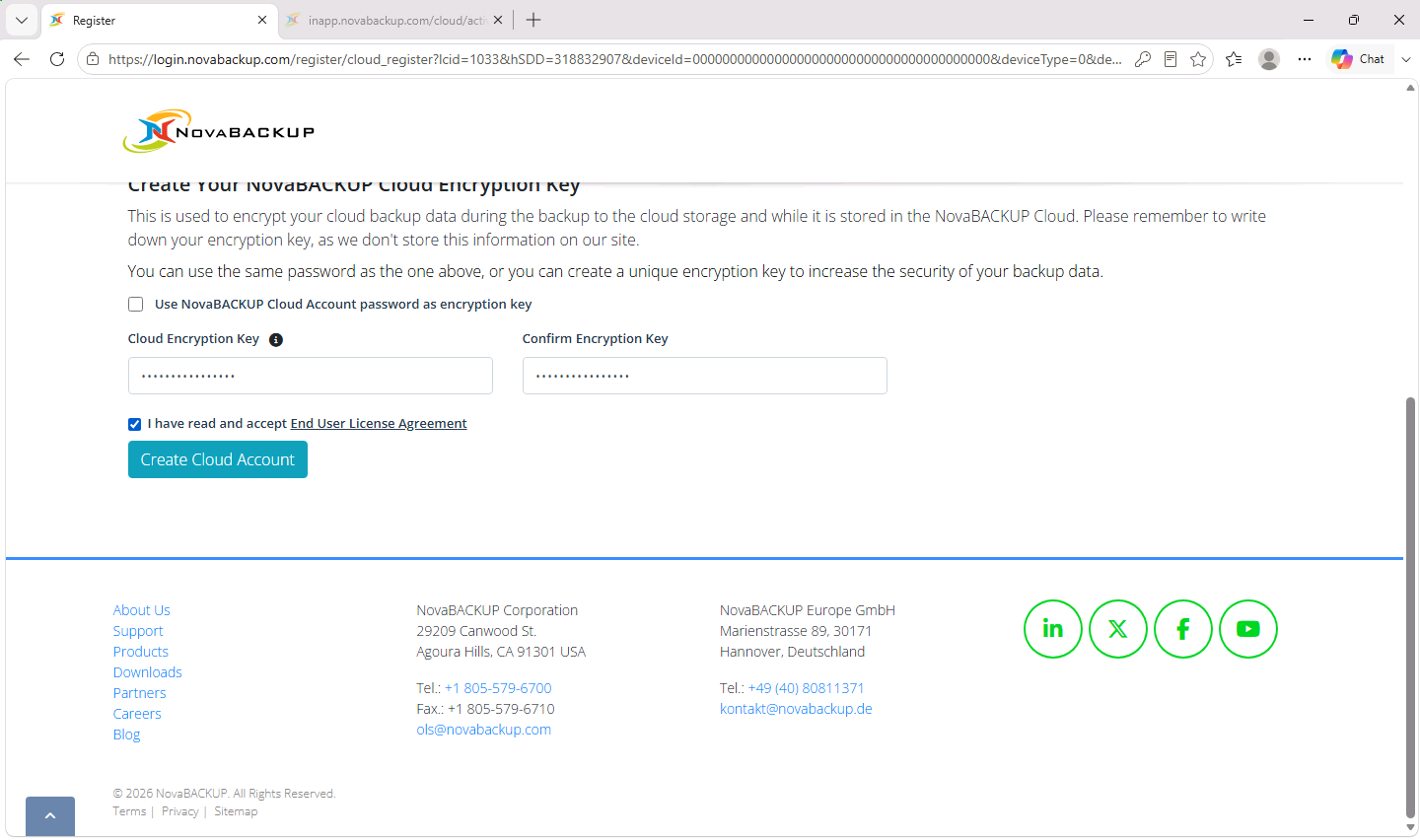
- Select I have read and accept End User License Agreement, then click Create Cloud Account.
Important: Write down your cloud account password and your encryption key, and keep them somewhere safe outside this computer. NovaBACKUP does not store the encryption key, so nobody can restore your cloud backups without it, not even NovaBACKUP Support.
Step 3: Let the page hand the settings to NovaBACKUP
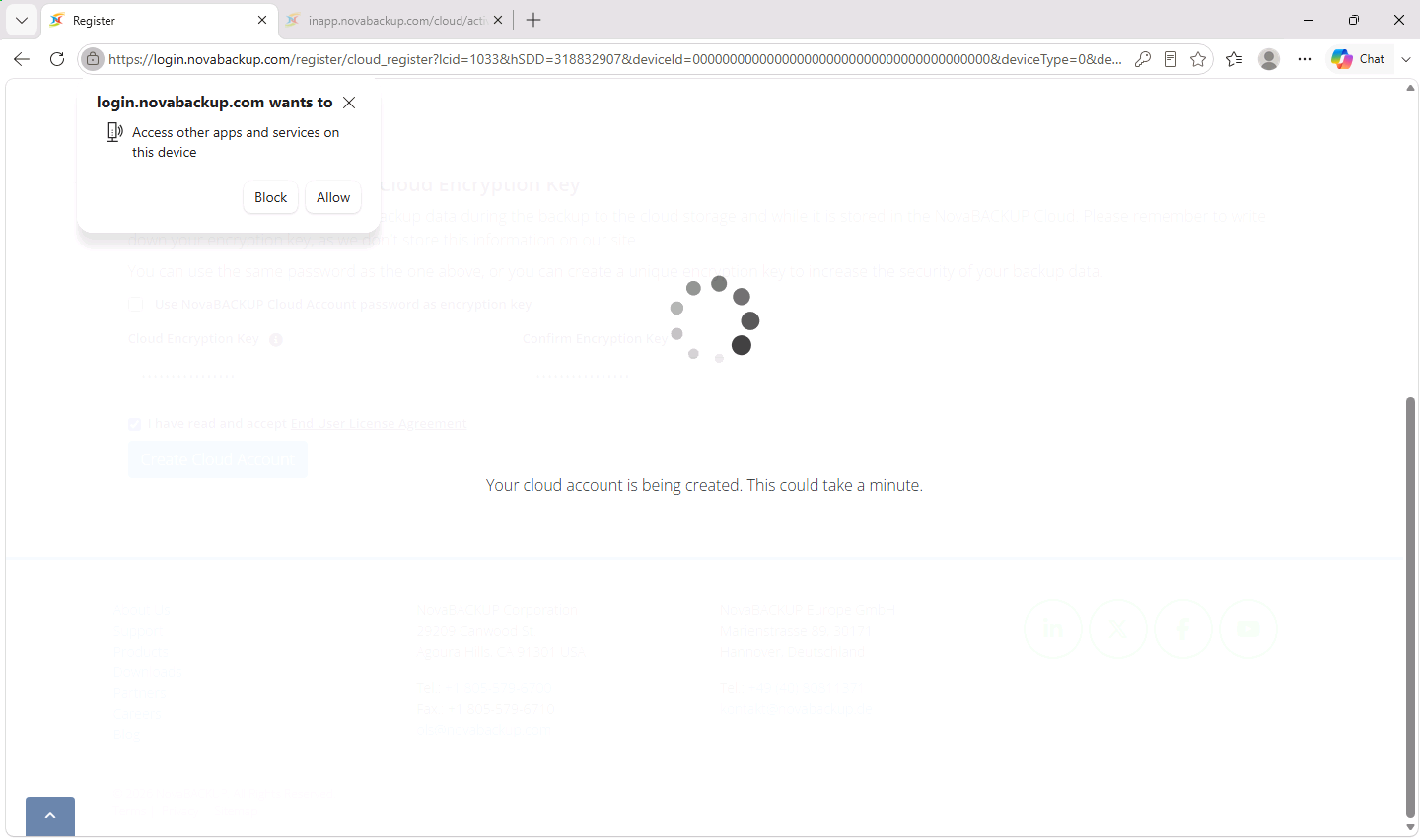
- While the account is being created, your browser may ask whether the page can Access other apps and services on this device. Click Allow. This lets the page pass the new cloud device to NovaBACKUP on this computer.
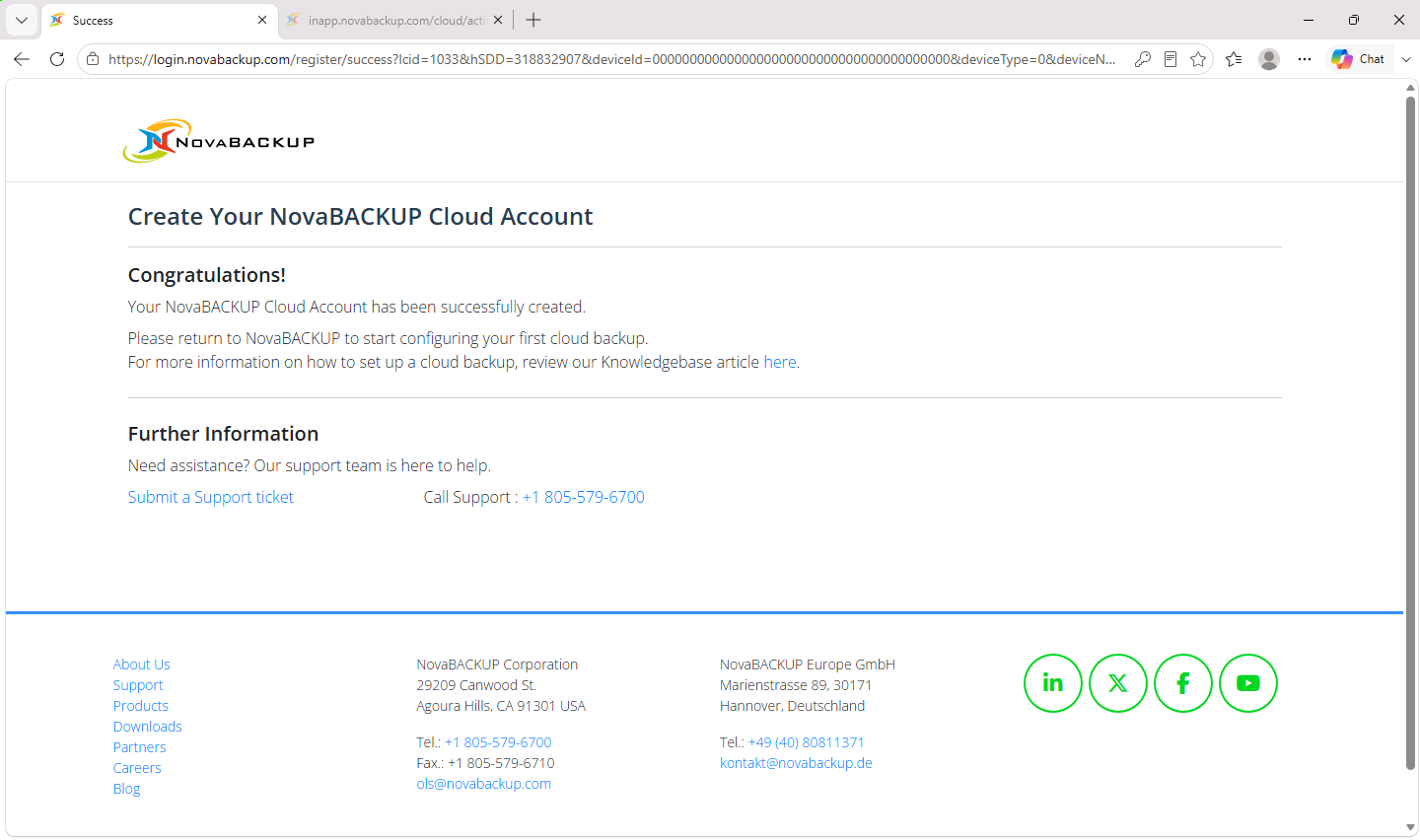
- Wait for the message Congratulations! Your NovaBACKUP Cloud Account has been successfully created.
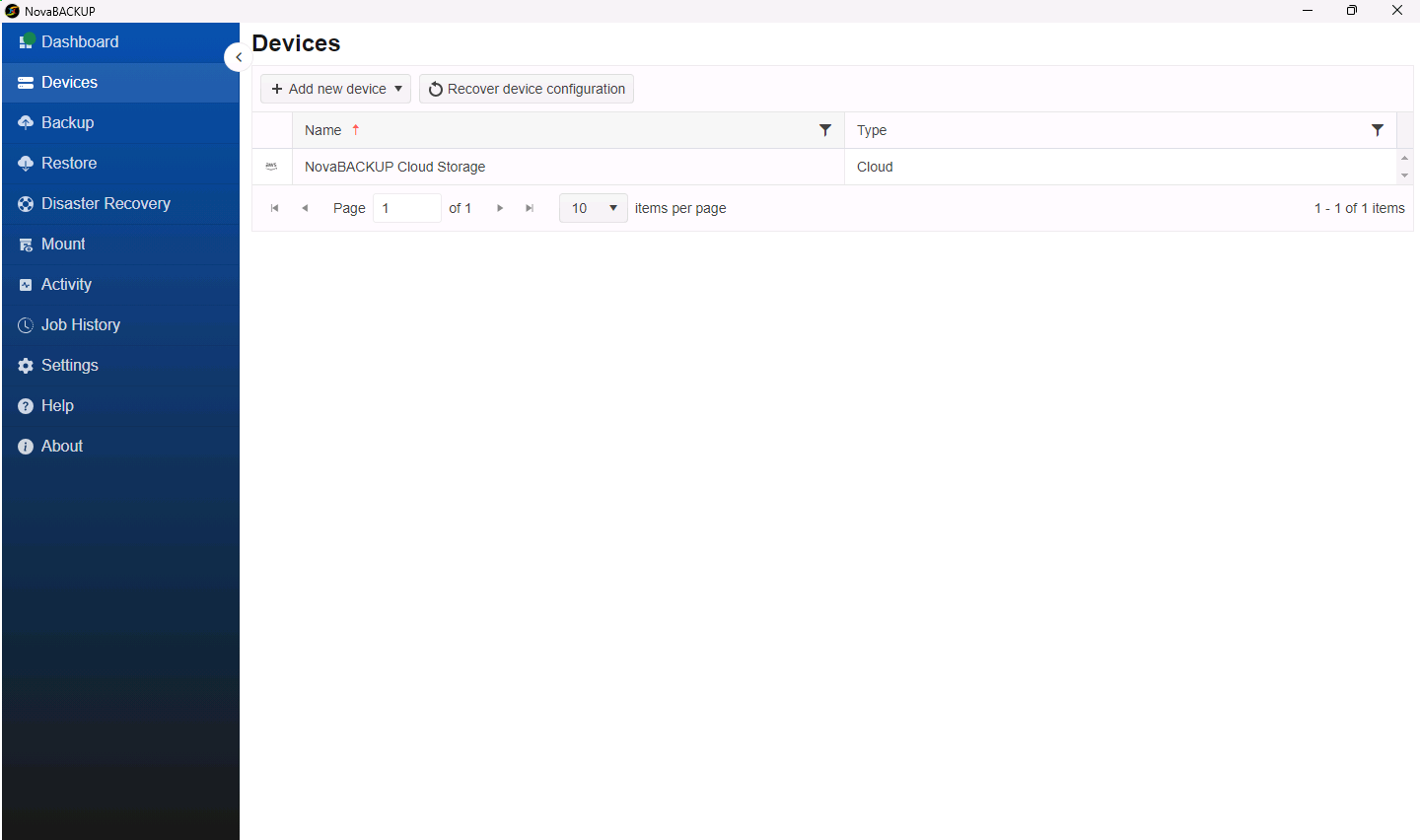
- Return to NovaBACKUP and open Devices. A device named NovaBACKUP Cloud Storage of type Cloud appears in the list. This can take a minute.
Once the cloud device is added, the Get Cloud Storage box disappears from the Dashboard, and the Storage panel shows how much of your cloud storage is used.
Next steps
- Create a backup job that writes to NovaBACKUP Cloud Storage. See Creating and Scheduling Your First Backup Job.
- For a fast local copy and an offsite copy from one job, see Setting Up a Hybrid Backup (Local and Cloud).
If the device does not appear
- Click Refresh on the Dashboard, then check Devices again.
- If you clicked Block in the browser prompt, or the browser was closed before the success page appeared, the cloud device is not added to this computer, and signing in again with Login does not add it. Login opens your cloud account in the NovaBACKUP Management Console (CMon). There, issue a recovery token for this computer. Then, in NovaBACKUP, open Devices, select Recover device configuration > From a CMon, and enter the CMon address from your browser and the token. See Issuing a Device Recovery Token in the CMon.
- If you use your own S3-compatible storage instead of NovaBACKUP Cloud, add it by hand. See Adding an S3-Compatible Cloud Storage Device.
Related Articles
- Getting Started with NovaBACKUP 22
- Setting Up a Hybrid Backup (Local and Cloud)
- Adding an S3-Compatible Cloud Storage Device
- Restoring to a New Computer: Importing Your Backups
Still Need Help?
Contact NovaBACKUP Support:
- Email: support@novabackup.com
- Phone: +1 805-579-6700 (press 2 for support)
- Submit a ticket: https://16246.share.hsforms.com/21oWGOmxeQpKD1M8jmfKBAQ
- More options: https://www.novabackup.com/support